Are Beats Headphones Noise Cancelling?
Four models cancel and three do not, and Solo 4 is the one people misread. Here is the full list, plus the reason none of them block your colleagues.
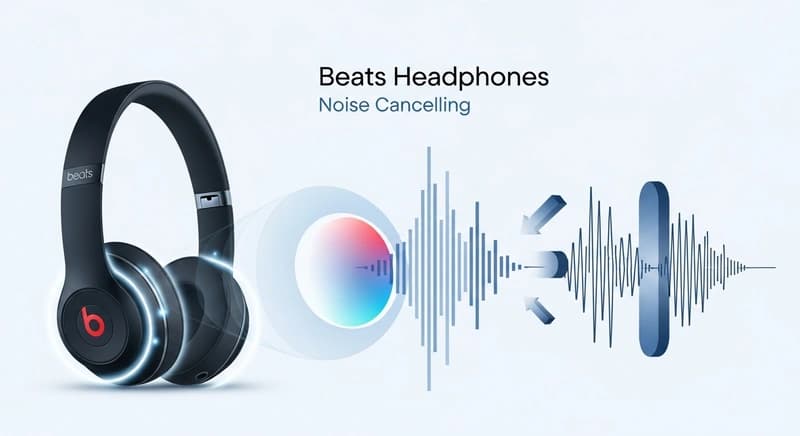
Some Beats models have active noise cancellation and several do not, and the ones that do not are frequently mistaken for the ones that do. Studio Pro, Studio Buds +, Fit Pro and Powerbeats Pro 2 all cancel. Solo 4, Solo Buds and the standard Studio Buds do not. The distinction matters because the models without it rely entirely on the fit of the earpad or tip.
Knowing which you have, and what cancellation can actually do, resolves most of the disappointment.
Which models cancel
| Model | Active cancellation | Transparency mode |
|---|---|---|
| Studio Pro | Yes | Yes |
| Studio Buds + | Yes | Yes |
| Fit Pro | Yes | Yes |
| Powerbeats Pro 2 | Yes | Yes |
| Solo 4 | No | No |
| Solo Buds | No | No |
| Powerbeats Pro, first generation | No | No |
The Solo 4 is the one people most often get wrong. It is an on-ear headphone with no cancellation at all, and the isolation it provides comes purely from the pad pressing against your ear.
The Powerbeats Pro 2 adding cancellation was a genuine change from the first generation, which had none.
If you are unsure about your pair, look for a noise control setting. On an iPhone, connected Beats with cancellation appear in the Bluetooth settings with a mode selector. Without cancellation, that selector is absent.
What cancellation can and cannot remove
This sets expectations correctly and it applies to every brand.
Active cancellation works by hearing incoming noise with a microphone, generating an inverted waveform, and playing it so the two sum toward silence at your eardrum.
The constraint is timing. The system must detect, calculate and reproduce the anti-noise before the original sound arrives. At 1 kHz a wavelength is about 34 centimeters, so the whole loop has to finish in a fraction of a millisecond.
Above roughly 1 kHz the wavelengths get too short for the phase to line up, and cancellation stops working. Everything above that is handled by the physical seal instead.
So cancellation removes aircraft rumble, road noise and air conditioning very effectively, and does very little about people talking. Speech intelligibility lives above where the technology can reach.
If your complaint is that your Beats do not block your colleagues, that is not a fault. Blocking voices requires a seal, not electronics. Our explainer on how noise canceling headphones work covers the mechanism.
How good the Beats cancellation is
Competitive rather than class leading. The Studio Pro cancels well and sits behind the Sony and Bose flagships on refinement and on total low frequency attenuation.
The Studio Buds + and Fit Pro perform well for their size, and the transparency mode across the range is genuinely good, which is partly the Apple silicon inside them.
The Powerbeats Pro 2 is a harder engineering problem than the others, since a hooked sport earbud moves more with your head than a sealed in-ear does, and cancellation depends on a stable seal.
The practical position: if cancellation is the single reason you are buying, the Sony and Bose flagships still lead. If you want good cancellation plus Apple integration plus proper Android support, Beats is a sensible choice.
Fit determines most of the result
This is where the actual performance comes from, and it is free to fix.
On the earbuds, the tip has to seal. A leak of a millimeter destroys the passive isolation and also breaks the acoustic assumptions the cancellation was tuned around, so the electronics get worse too.
Most people use the tips that came fitted, which are medium, and most people are not medium. Try every size, and try each ear separately, since ears are frequently different sizes.
Foam tips improve high frequency isolation over silicone by a noticeable margin, since they expand to fill the canal rather than sealing at one contact ring.
On the Studio Pro, the earpad has to sit flat all the way round. Glasses arms break that seal and you lose several decibels at low frequencies, because the system was tuned for a sealed cavity.
Worn pads are the quiet killer. Beats protein leather cracks and flattens after a year or two, and a collapsed pad leaks. Replacement pads restore cancellation as well as comfort.
Getting the most from the models that cancel
Switch to transparency near traffic, since cancellation removes exactly the low frequency engine noise you need to hear.
Turn cancellation off when you do not need it, which extends battery life noticeably.
Clean the microphone ports, since blocked external microphones degrade cancellation and are easy to miss. A soft dry brush, never anything pushed through.
Keep firmware current, since cancellation tuning is updated in firmware and updates arrive silently when connected.
Do not expect cancellation to fix a bad seal. If it sounds thin and cancels poorly, change the tips before blaming the product.
If you have a model without cancellation
The isolation you get is passive, and improving it is about fit alone.
On the Solo 4, the pads must press evenly. Adjusting the headband so the pressure is uniform helps, and worn pads should be replaced.
On the Solo Buds, try all the tip sizes, and consider foam tips, which improve isolation more than anything else available.
Accept that on-ear designs like the Solo 4 will always leak more than over-ear ones, since the pad sits on your ear rather than around it.
For a plane or a train, a model with cancellation is a genuinely different product rather than a slightly better one, and no fit adjustment substitutes for it.
Frequently asked questions
Are Beats headphones noise cancelling?
Some are. Studio Pro, Studio Buds +, Fit Pro and Powerbeats Pro 2 have active cancellation and transparency modes. Solo 4, Solo Buds and the first generation Powerbeats Pro do not, and rely entirely on the fit of the earpad or tip for isolation.
Do Beats Solo 4 have noise cancelling?
No. The Solo 4 is an on-ear headphone with no active cancellation and no transparency mode. Any isolation comes from the earpad pressing against your ear, and on-ear designs leak more than over-ear ones because the pad sits on the ear rather than around it.
Why don’t my Beats block people talking?
Because speech intelligibility sits above about 1 kHz and cancellation stops working there. The system must hear a sound, compute its inverse and play it before the original arrives, which the short wavelengths make impossible. Blocking voices needs a physical seal, so try foam tips instead.
How do I improve noise cancelling on my Beats?
Fix the seal, which determines most of the result. Try every tip size and check each ear separately, since most people use the fitted medium tips and most people are not medium. Foam tips improve isolation noticeably. On the Studio Pro, replace worn pads, since a collapsed pad leaks and costs real cancellation.