How to Clean MacBook Pro Speakers
A dry brush swept sideways, and nothing else. Here is the safe method, why compressed air makes it worse, and the setting that mimics blocked speakers.
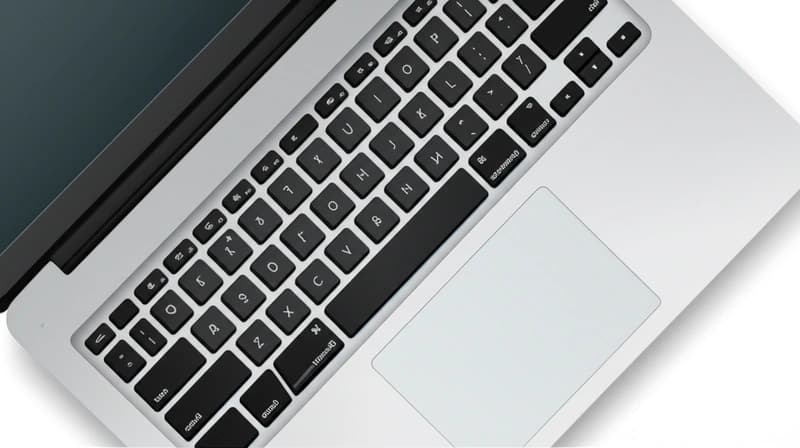
Clean MacBook Pro speaker grilles with a dry soft brush and nothing else, working across the holes rather than into them. No liquid, no compressed air, nothing pushed through the mesh. The grilles are the only part you should touch, and if the sound is muffled rather than dusty, the cause is usually a software setting rather than dirt.
Checking that first saves you cleaning something that was never the problem.
Rule out the settings first
Three settings produce symptoms that look exactly like blocked speakers, and all three are more common than actual dust.
Open System Settings, Sound, and check the Balance slider. If it has drifted left or right, one speaker sounds quiet or dead. This gets moved accidentally more often than you would think.
Check the output device in the same panel. A Bluetooth speaker or a pair of headphones still connected in another room means the Mac is sending audio somewhere else entirely.
Open Audio MIDI Setup from Applications, Utilities, select Built-in Output, and check the format. If the sample rate has been changed by an application and left there, audio can sound wrong in ways that seem physical.
Also check whether an audio application is holding exclusive control, and restart the Mac if anything looks stuck. Sound problems that appear suddenly are far more often software than hardware.
What you need to clean them
A soft dry brush is the whole toolkit. A clean, soft toothbrush works, and so does a makeup brush or a camera lens brush.
A microfiber cloth for the surrounding surfaces.
Nothing else. Specifically not liquid, not compressed air, not a pin, not a cotton bud that sheds fibers, and not a vacuum held against the grille.
The method
- Shut the MacBook down completely and unplug it.
- Hold the brush at a shallow angle to the grille rather than perpendicular to it.
- Sweep along the line of the holes, so debris is lifted out sideways rather than pushed inward.
- Work in one direction consistently rather than scrubbing back and forth.
- Wipe the surrounding aluminum with a barely damp microfiber cloth, keeping moisture away from the perforations.
Angling the brush matters. A brush held straight on drives dust deeper into a mesh that has no way to release it.
The speaker grilles run along both sides of the keyboard on most models, and the same technique applies to the microphone openings.
Once a month is plenty. These are not parts that need frequent attention.
Why compressed air is a bad idea
It is the first thing most people reach for and it causes two specific problems.
The pressure drives dust past the mesh into the speaker assembly, where it settles on the driver and cannot be removed without disassembly. Whatever was a cosmetic problem becomes a permanent one.
Canned air also releases propellant as a cold liquid when the can is tilted or used in bursts, and that liquid landing on electronics is exactly what you were trying to avoid.
The same reasoning rules out a vacuum cleaner held against the grille. The suction is uncontrolled, and a speaker diaphragm is a thin membrane that does not benefit from being pulled at.
If you must use air, use a hand squeeze bulb of the sort sold for camera lenses, held at an angle rather than square on. It moves surface dust without pressure.
If liquid got in
This is the situation where damage actually happens, and speed matters more than technique.
Shut the Mac down immediately rather than checking whether it still works, since current flowing through wet electronics is what causes permanent damage.
Turn it upside down, opened into a tent shape, so gravity works with you rather than against you.
Leave it at room temperature for at least 48 hours. Do not use a hairdryer, which forces moisture further in and can distort the speaker diaphragm with heat.
Rice does very little and its dust gets into ports. Air movement at room temperature is more effective.
If the liquid was anything other than water, take it to a service center regardless of whether it seems fine. Sugar and salt keep corroding long after the moisture has gone.
Muffled sound that is not dirt
If the sound is quiet, distorted or unbalanced after cleaning, the causes are worth knowing.
Volume limiting from heat is normal on thin laptops under sustained load, and it recovers when the machine cools.
An application with its own volume control, set low, is a frequent culprit. Video players, browsers and conferencing apps all have one.
Sound processing left on by an application can persist after it closes.
A rattle or buzz that appears only at high volume, and only on certain frequencies, usually indicates physical damage to a driver, and that is a service matter rather than a cleaning one.
Genuinely blocked speakers are rare. Dust visible in the grille is usually cosmetic, and unless a lot has accumulated it is not what changed how your Mac sounds.
Keeping them clean
Close the lid when the machine is not in use, which keeps the largest surface area covered.
Avoid using it on fabric surfaces such as beds and sofas, which shed fibers directly toward the grilles and block the cooling intakes at the same time.
Wash your hands before long sessions, since skin oil is what makes dust stick rather than sit loose.
Use a keyboard cover only if you also remove it regularly, since debris collects underneath and ends up worse than none.
Carry it in a sleeve rather than loose in a bag, where crumbs and grit reach the grilles directly.
Frequently asked questions
How do I clean MacBook Pro speakers?
Shut the machine down, then sweep a soft dry brush along the line of the grille holes at a shallow angle, so debris lifts out sideways rather than being pushed in. Wipe the surrounding aluminum with a barely damp microfiber cloth. Do not use liquid, compressed air or anything pushed through the mesh.
Can I use compressed air on MacBook speakers?
No. The pressure drives dust past the mesh into the speaker assembly where it cannot be removed without disassembly, turning a cosmetic problem into a permanent one. Canned air can also release cold liquid propellant onto the electronics. A hand squeeze bulb used at an angle is safe.
Why do my MacBook speakers sound muffled?
Usually a setting rather than dirt. Check the Balance slider in System Settings, Sound, since it drifts accidentally. Check the output device is not a Bluetooth speaker still connected elsewhere. Check the sample rate in Audio MIDI Setup. Sudden sound problems are far more often software than hardware.
What if liquid gets into my MacBook speakers?
Shut it down immediately without testing whether it works, then stand it upside down in a tent shape so gravity drains it. Leave it at room temperature for at least 48 hours, and do not use a hairdryer. If the liquid was anything other than water, take it to a service center regardless of how it seems.