Good Logitech Speakers for a PC
The Z number tells you the tier, and two steps in the range matter. Here is which to buy, why wattage misleads, and the cause of that desk hiss.
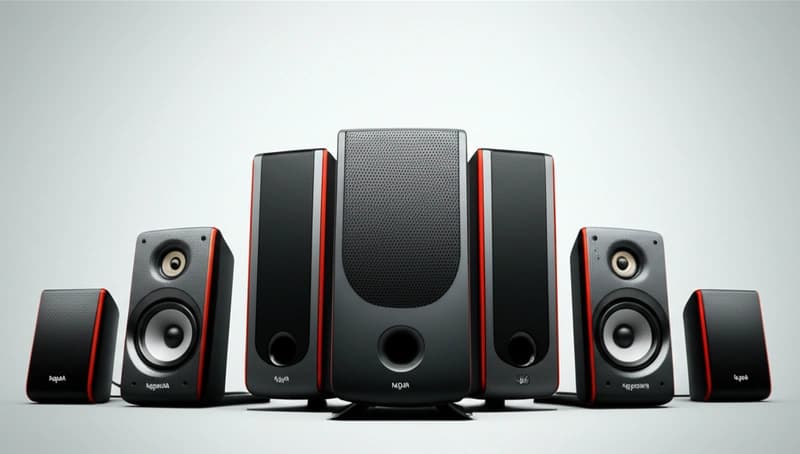
Logitech’s PC speaker range is organized by a Z number, and that number tells you almost everything: the first digit is the tier and the range runs from a USD 20 pair of desk speakers to a THX certified 5.1 system. The Z407 and Z533 are the value sweet spot for most desks. The Z623 is the one to buy if you want real bass. Below the Z300 series you are buying convenience rather than sound.
Working out which you need starts with a decision that has nothing to do with Logitech.
2.0 or 2.1, and what a subwoofer actually does
A 2.0 system is two speakers. A 2.1 system is two speakers and a subwoofer.
The subwoofer is not there to add boom. It exists because small desktop speakers physically cannot produce low frequencies, and the reason is displacement. Sound pressure at low frequencies depends on how much air a cone moves, and a three inch driver in a small box cannot move enough. A separate larger driver in a bigger cabinet can.
Adding a subwoofer also relieves the small speakers of work they were failing at, so the midrange gets cleaner as a side effect. That improvement in vocal clarity is usually more noticeable than the extra bass.
The catch is placement. Below roughly 80 Hz your ears cannot tell where sound is coming from, which is why a subwoofer can go under the desk. Above that it starts to localize and the illusion breaks, so a subwoofer crossed over too high sounds like a separate box making noise near your feet.
The range, and what changes as you go up
| Model | Type | Who it is for |
|---|---|---|
| Z120 and Z150 | 2.0, USB or mains powered | Anything is better than laptop speakers |
| Z200 | 2.0 with bass adjustment | Small desk, tight budget |
| Z313 and Z333 | 2.1 | First system where bass genuinely appears |
| Z407 | 2.1, Bluetooth, wireless control puck | The modern all rounder |
| Z533 and Z537 | 2.1, more power | Larger rooms, more headroom |
| Z623 | 2.1, THX certified | Serious volume and real low end |
| Z906 | 5.1, THX certified | Surround for film and gaming |
The steps that matter are Z200 to Z313, where a subwoofer arrives, and Z533 to Z623, where the power stops being a limitation.
Between Z407 and Z533 you are choosing convenience against output. The Z407 has Bluetooth and a rotary control puck that sits on the desk, which is genuinely nicer to live with. The Z533 plays louder and cleaner.
Reading the wattage honestly
Two numbers appear on the box and only one is useful.
RMS is continuous output, measured over time, and it is the figure to compare. Peak is a brief transient and typically about twice the RMS figure, sometimes more, and it exists to make the box look better.
Logitech quotes both, and generally states the RMS figure clearly, which is more honest than much of the category.
The second thing worth knowing is that wattage translates poorly into loudness. Doubling power gives you 3 dB, which is a modest increase. Going from 30 watts to 60 watts is not twice as loud, it is slightly louder. Speaker sensitivity and cabinet size matter more than the amplifier rating.
So a 60 watt system is not double a 30 watt one, and choosing between two models on wattage alone is the least useful comparison you can make.
What THX certification means here
The Z623 and Z906 carry THX certification, which is a real testing program rather than a sticker.
It certifies that the system meets defined targets for frequency response, distortion at rated output, and output capability. In practice it means the manufacturer had to demonstrate the speakers can actually play at their claimed level without falling apart.
It does not mean the system sounds better than an uncertified one at the same price, and it says nothing about tonal preference. It is a floor rather than a ranking.
What it does tell you is that the numbers were verified by someone other than the marketing department, which in this category has value.
Connection, and the mistake that costs you
Most of these connect over a 3.5 mm analog cable to the green output on your PC.
That output is fed by the motherboard’s audio circuitry, which sits inside a case full of electrical noise. On a cheap board that produces an audible hiss, and sometimes a whine that changes pitch with mouse movement or GPU load.
If you hear that, the speakers are not at fault. A USB connection bypasses the motherboard conversion entirely, which is why the Z407 and several others offer it, and it is the single most effective fix.
A ground loop, heard as a constant hum, comes from the speakers and PC being grounded at different points. Plugging both into the same outlet strip usually solves it.
Bluetooth on the models that offer it is convenient for a phone and worse than the cable for the PC, since it adds latency that shows up as lip sync error in video.
Getting more from what you buy
Raise the speakers to ear level. Treble is directional, and speakers firing at your chest lose detail you paid for. Cheap stands or a couple of books make a bigger difference than a tier upgrade.
Angle them inward so they point at your head, forming a triangle with your listening position.
Pull them a few inches from the wall. Close to a wall adds bass and takes away clarity.
Put the subwoofer on the floor, not on the desk, since desk resonance turns clean low end into vibration you feel through your wrists.
Set the Windows volume near maximum and control level with the speaker knob, which keeps the signal above the noise floor.
Frequently asked questions
Which Logitech PC speakers should I buy?
The Z407 for most desks, since Bluetooth and the wireless control puck make it pleasant to use daily. The Z533 if you want more output for the same money and can live without Bluetooth. The Z623 if you want genuine bass and volume, and the Z906 only if you actually want 5.1 surround.
Do I need a subwoofer with PC speakers?
If you want bass, yes, because small desktop drivers physically cannot move enough air to produce low frequencies. The less obvious benefit is that offloading the low end lets the small speakers handle the midrange cleanly, so voices become clearer. That improvement is often more noticeable than the bass itself.
Is a higher wattage speaker louder?
Barely. Doubling amplifier power gives you about 3 dB, which is a modest increase rather than twice the volume. Speaker sensitivity and cabinet size affect loudness far more than the amplifier rating. Compare RMS figures rather than peak, and do not choose between models on wattage alone.
Why do my PC speakers hiss or whine?
Usually the motherboard’s analog output rather than the speakers. The audio circuitry sits inside a case full of electrical noise, which produces hiss and sometimes a whine that tracks GPU or mouse activity. A USB connection bypasses it completely. A constant hum instead points to a ground loop, usually fixed by plugging both into the same outlet.