Is Optical or HDMI Better for a Soundbar?
HDMI wins on every current bar, and optical still has one real advantage. Here is what each carries, and the setting that causes most silence.
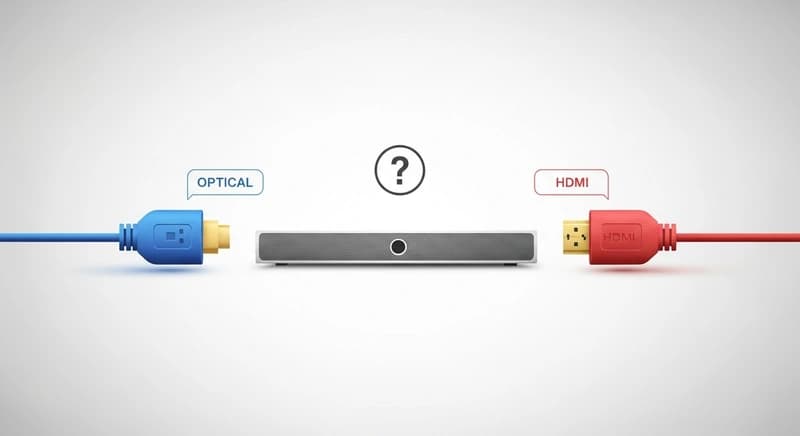
HDMI is better, and it is not close on any current soundbar. Optical cannot carry the object based formats at all, cannot pass a signal in both directions, and cannot control volume with your television remote. Optical remains genuinely useful in exactly two situations: when your television has no ARC port, and when a ground loop is producing hum you cannot otherwise cure.
The reason HDMI wins comes down to bandwidth and direction.
What each connection can carry
| Format | Optical | HDMI ARC | HDMI eARC |
|---|---|---|---|
| Stereo PCM | Yes | Yes | Yes |
| Dolby Digital 5.1 | Yes | Yes | Yes |
| DTS 5.1 | Yes | Usually | Yes |
| Dolby TrueHD and DTS-HD | No | No | Yes |
| Dolby Atmos in Dolby Digital Plus | No | Yes | Yes |
| Dolby Atmos in TrueHD | No | No | Yes |
| Multichannel PCM | No | No | Yes |
Optical is limited by its bandwidth, which was defined decades ago and has never been extended. It tops out around 5.1 channels of compressed audio.
ARC has more bandwidth and adds the two way communication that lets one remote control both devices.
eARC has far more, enough for uncompressed multichannel and the full quality Atmos and DTS:X streams. If both your television and soundbar support it, that is the connection to use.
Why the bidirectional part matters
ARC stands for Audio Return Channel, and the return is the important word.
Normally HDMI sends audio and video from a source to a display. ARC sends audio backward, from the television to the soundbar, over the same cable.
That means the television becomes the hub. Everything plugs into the television, and one cable carries the audio out to the bar.
The two way link also carries control data. Your television remote adjusts the soundbar volume, the bar powers on with the television, and the bar switches to the right input automatically. Manufacturers give this different names, but it is the same underlying feature.
Optical is a one way pipe. It carries audio and nothing else, which is why you end up with two remotes.
When optical is the right choice
When your television has no ARC port at all. Only one HDMI socket on a television carries ARC and older sets have none. Optical is then the only digital route.
When you have a ground loop. Because optical is light rather than electricity, it breaks the electrical connection between the two devices completely. If you have a hum that persists after trying everything else, switching to optical eliminates it definitively. This is optical’s one genuine technical advantage and it is a real one.
When your HDMI ports are all occupied and you would rather not add a switch.
When the ARC implementation on your particular television is unreliable, which does happen, and optical simply works.
When you only ever watch broadcast television and streaming apps in stereo or 5.1, in which case optical carries everything you actually receive.
Setting up either one properly
The digital audio output format setting on your television is what causes most problems, and it is the setting people never find.
For optical, set it to Dolby Digital or Bitstream. Setting it to Auto sometimes results in the television attempting a format optical cannot carry, producing silence or static.
For HDMI eARC, set it to Bitstream or Passthrough so the soundbar receives the original stream and decodes it. Setting it to PCM makes the television decode first, which discards the object based information Atmos depends on.
Turn the television speakers off in the sound menu, which is a separate step from selecting the output.
Plug into the correct HDMI socket, the one labeled ARC or eARC. This is the most common setup mistake by a wide margin.
Enable the control feature on both devices, since it is frequently off by default and is named differently by each manufacturer.
Cables, honestly
For eARC, use a High Speed HDMI cable or better. Premium High Speed and Ultra High Speed both work. You do not need an expensive one, and a cable either passes the signal or does not.
Very long HDMI runs, beyond about five meters, can be unreliable for eARC. If you need distance, an active or optical HDMI cable solves it.
For optical, the cable is a light pipe and the material matters less than the connector fit. Make sure the plastic cap is removed and the connector clicks fully home.
Do not bend optical cable tightly. It carries light through a fiber and a sharp bend attenuates or breaks the signal, which is a failure mode people mistake for a faulty soundbar.
Fixing lip sync
If voices and mouths do not line up, the audio path is faster or slower than the video path, and this happens on both connections.
Use the audio delay, AV sync or lip sync setting in the television’s sound menu, and adjust until they match.
Some soundbars have their own delay setting, and using both at once makes the problem harder to solve. Pick one.
If the source is a streaming box rather than the television’s own apps, check whether the box has its own delay control, which is sometimes more effective.
Our guide on whether a soundbar is worth buying covers the setup steps that protect what you paid for.
Frequently asked questions
Is optical or HDMI better for a soundbar?
HDMI, clearly. Optical cannot carry Dolby Atmos, DTS:X or uncompressed multichannel audio, and it cannot pass control data, so your television remote will not adjust the soundbar volume. Use HDMI eARC where both devices support it, ARC otherwise, and optical only when there is no ARC port.
What is the difference between ARC and eARC?
Bandwidth. ARC carries compressed 5.1 audio and Dolby Atmos within Dolby Digital Plus. eARC carries far more, including uncompressed multichannel audio and full quality Atmos within Dolby TrueHD. Both devices must support eARC for it to work, and both carry control data so one remote operates both.
Can optical carry Dolby Atmos?
No, and no setting changes that. Optical’s bandwidth was defined decades ago and tops out at compressed 5.1. Atmos requires either HDMI ARC for the Dolby Digital Plus version or HDMI eARC for the full TrueHD version. If Atmos matters to you, optical is not an option.
When should I use optical instead of HDMI?
When your television has no ARC port, or when you have a ground loop hum. Because optical carries light rather than electricity, it breaks the electrical connection between devices entirely and eliminates ground loops definitively. That is its one real technical advantage over HDMI.